What's new in Yucca 0.5.0
01.02.2021
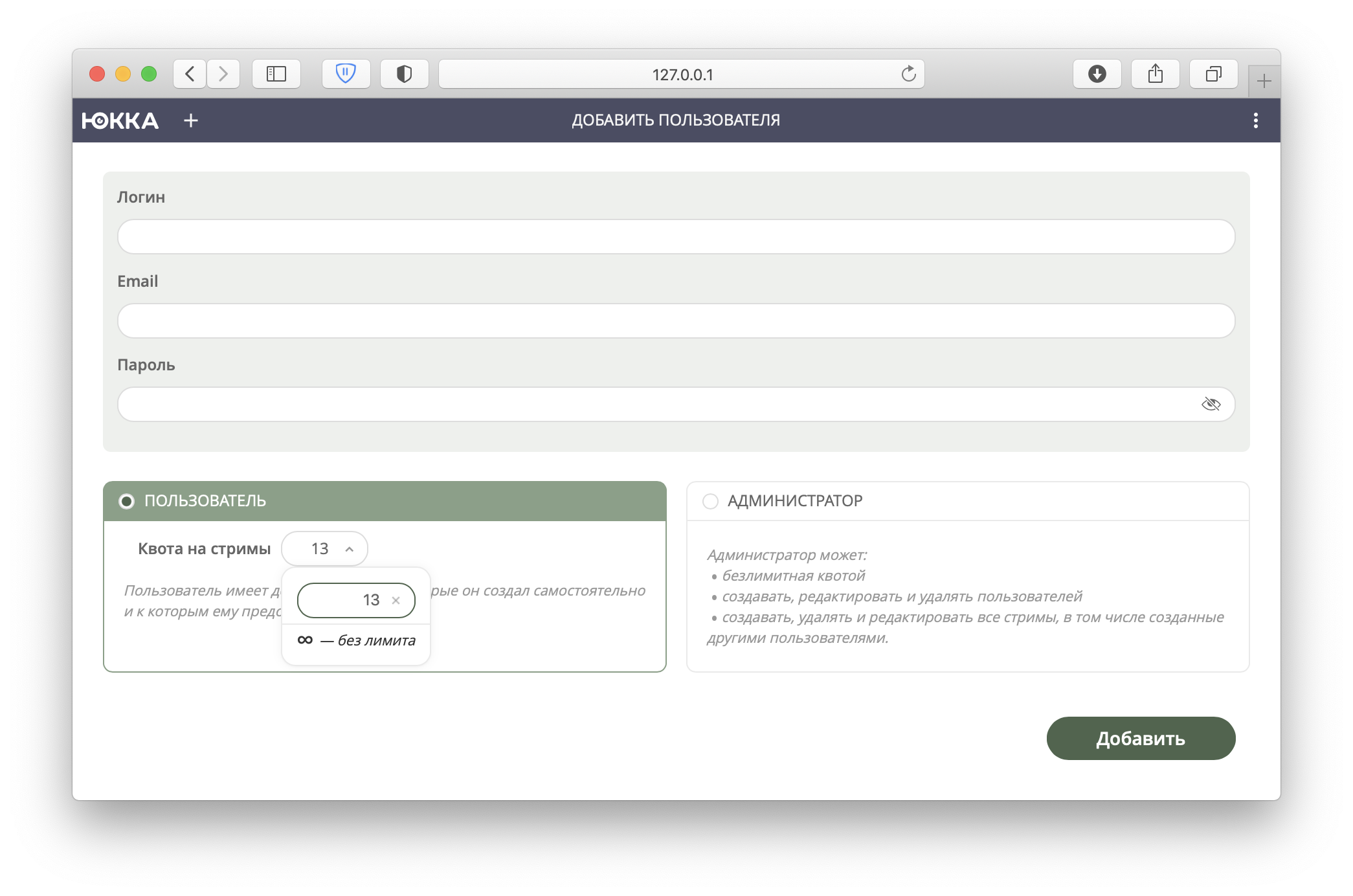
Camera quota for users
We implemented a feature to limit the number of cameras a user can create. Go to the user's profile and set the maximum number, or leave it unlimited (0 by default).
Quotas can also be set globally with the option --quota-global-stream, and this limit also applies to administrators. You can read about other kinds of limits in the documentation, in the “quota” section.
Maximum archive depth limit
We added the option --streams-archive-max-depth-hours, which limits the archive depth for every camera on the server. Cameras that were already created with a value exceeding the limit will keep working as before, but once their settings are changed, the limit will start being enforced.
Archive storage overhaul
We implemented a new archive format — the archive is no longer stored in segments but in hour-long files. This reduces disk load and makes creating backups easier. Archive version 2 will be used by default only for newly created cameras; all existing cameras with archive enabled will keep using version 1.
Brute-force protection
An important security-related change. If incorrect credentials are entered repeatedly, the server will temporarily block that client. The option is enabled by default; it can be disabled, though we strongly recommend against it.
Improved archive navigation
We added the ability to drag the progress bar area with the mouse. This makes working with the archive even simpler and more intuitive.

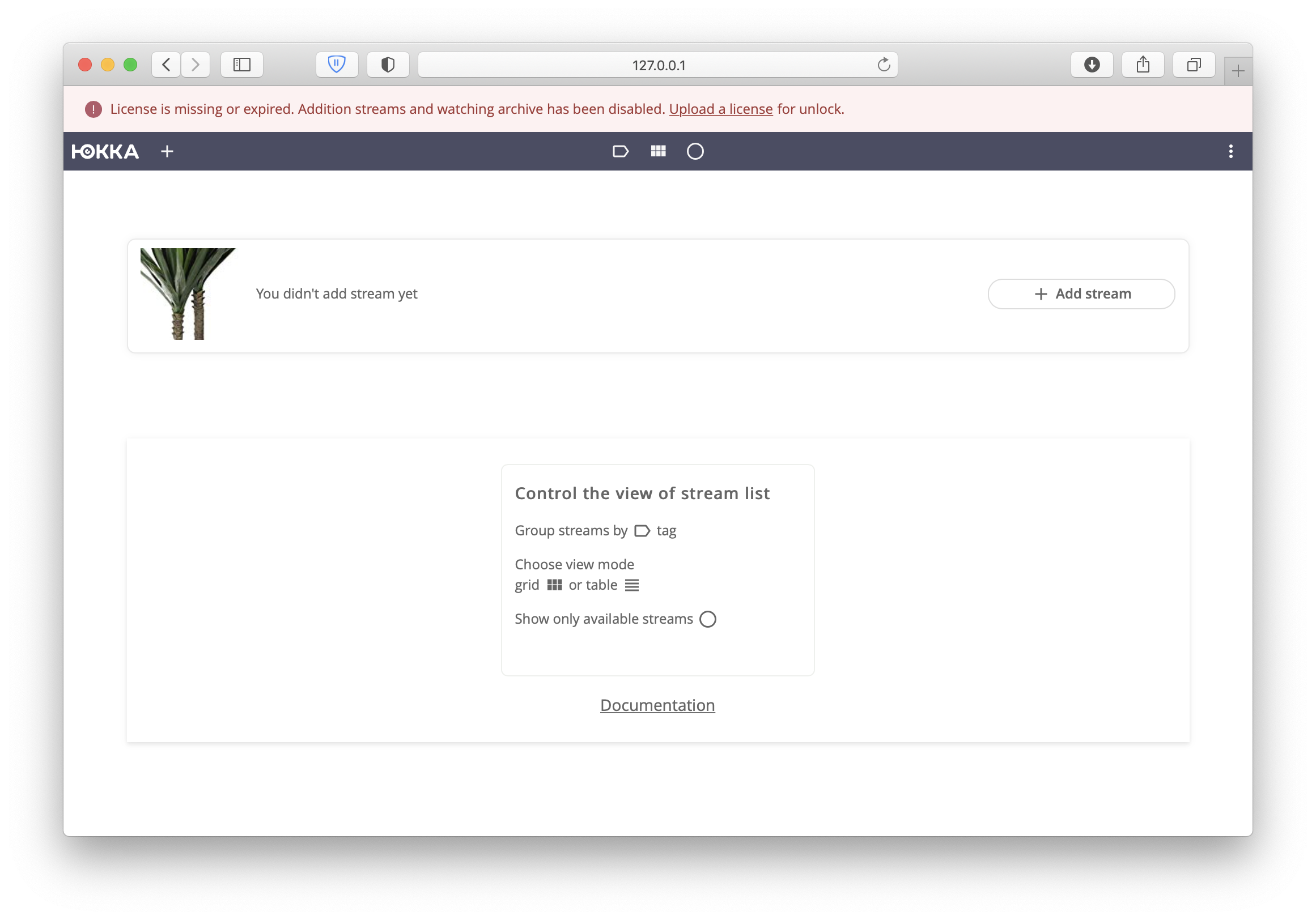
Expired license banner
Once the license expires, a notification banner appears at the top of the page. The message is visible to every user of the system.
Other changes
We've also updated the website and posted pricing 😉
Added
- Clear stale values of the yucca_stream_status metric and add a Name field (#723)
- Hide tabs from the user (#719)
- Maximum archive depth limit (#714)
- Brute-force protection (#695)
- User blocking (#684)
- In permissions, the edit and delete buttons should always be visible (#674)
- Camera quota (#671)
- Redesigned the initialization page (#654)
- Show a banner when the license has expired (#644)
- Store archive segments as hour-long files (#576)
- Change the language on the server unpacking page (#502)
- Archive navigation by dragging the progress bar area (#355)
Fixed
- Infinite preloader when saving settings for an existing stream (#726)
- Move the stream-archive-depth-hours parameter to streams (#715)
- User blocking: prevent a user from blocking themselves (#686)
- Empty cameras page after deleting a camera (#675)
- A different camera is shown when adding a camera (#667)
- Unnecessary error notification when entering a non-existent username while adding camera access permissions (#645)
- Incorrect title after refreshing the page (#643)
- When adding a stream, the archive settings state sent isn't the last one set by the user (#625)
- The Pause button is available while in the Pending status (#574)
- The "Preview unavailable" image is in English under the Russian locale (#569)
- Incorrect behavior with Docker installed from snap (#545)
What's next?
Installation instructions can be found in the Installation section.