What's new in Yucca 0.7.0
15.06.2022
Default executor type exec
The default behavior for the executor parameter has changed — starting with this version, the default type is exec. The docker type is deprecated and will be removed in the future.
Public streams
You can now share and embed live broadcasts on third-party resources.
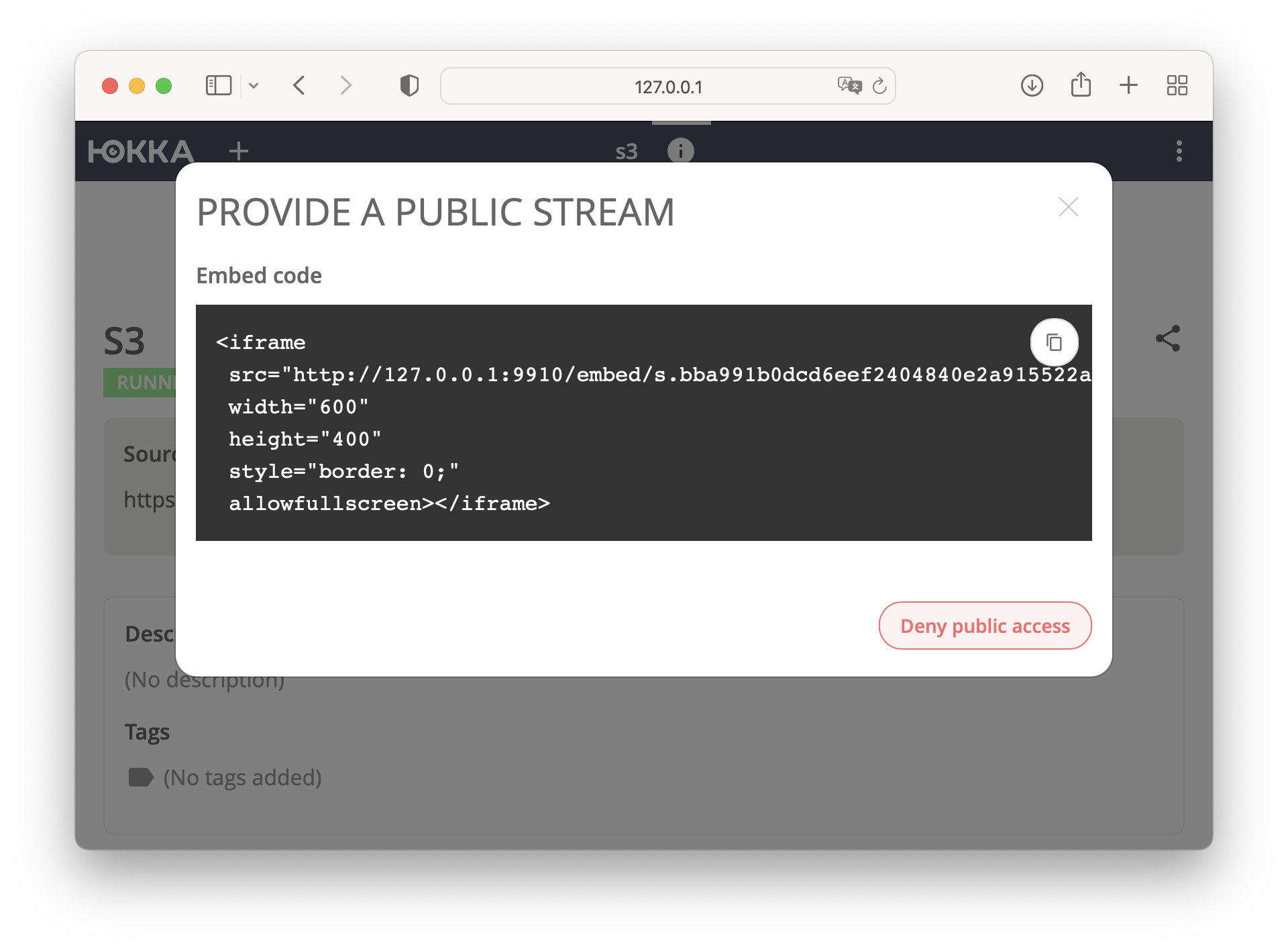 You can see an example of how it works on our website
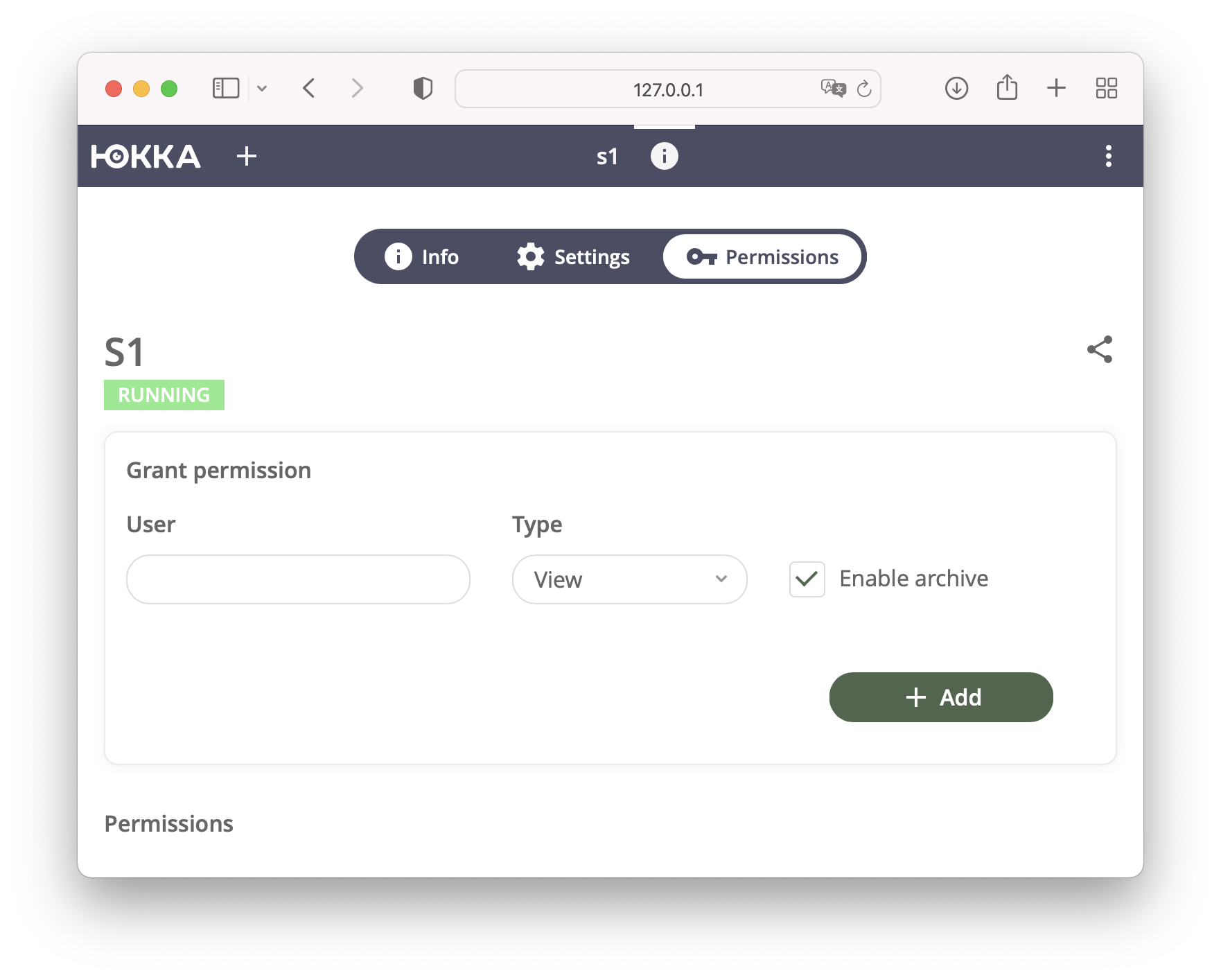
Live-only access
We added the ability to grant access to just the live stream, without access to the archive.
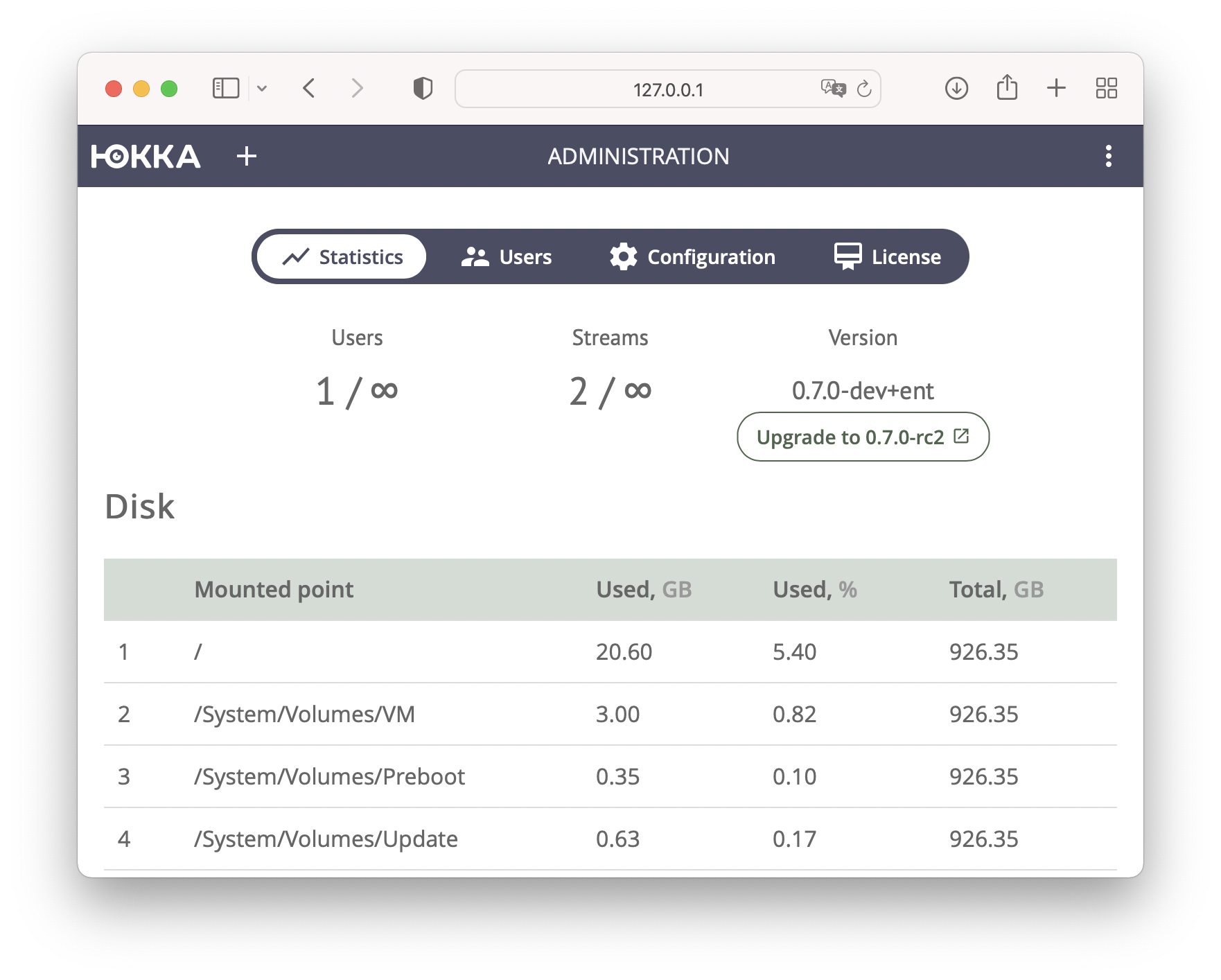
Statistics page
We redesigned and grouped the statistics page, added information about the current server version, and if updates are available you'll see a notification here.
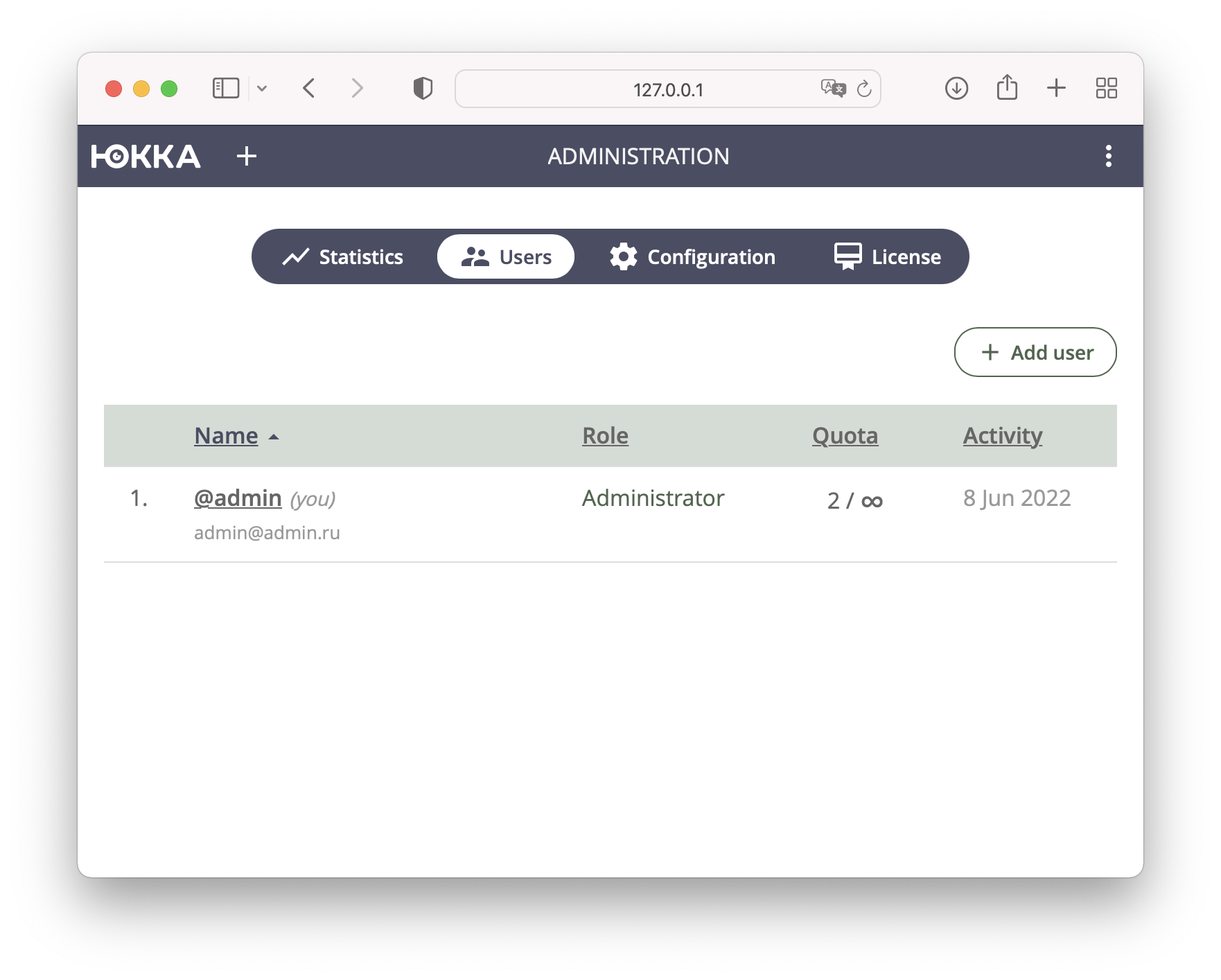
Users page
The user-adding page now shows a bit more information — we added fields for first and last name, and the date of last activity.
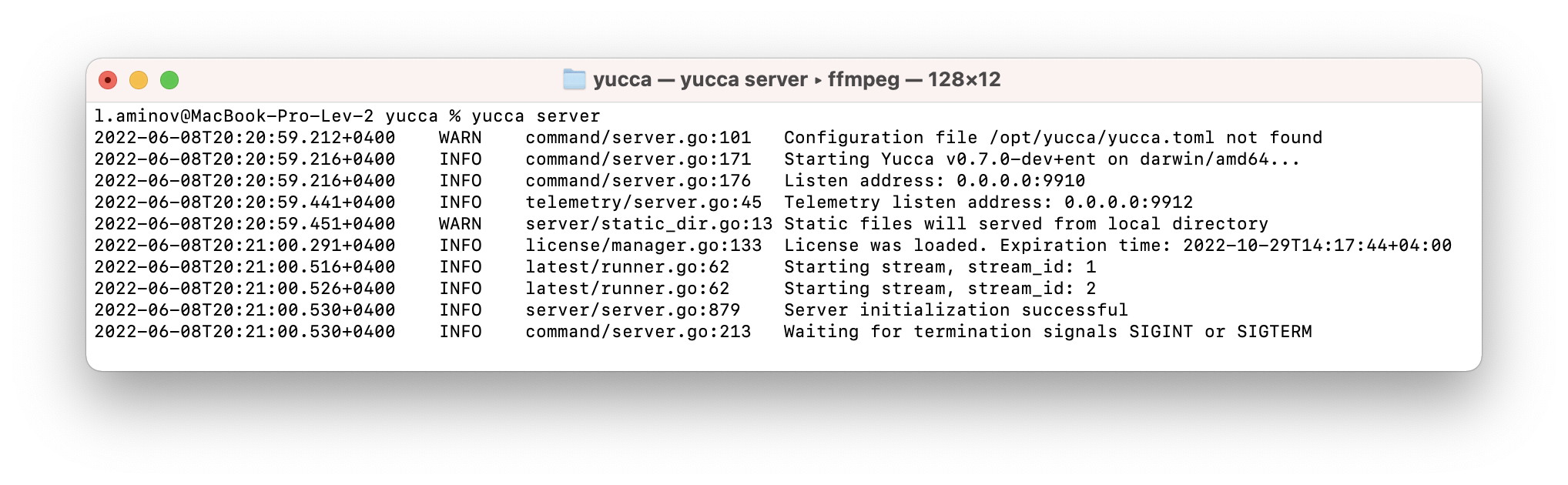
New log format
We decided to move away from JSON-formatted logging and switched to a more human-readable format.
Debugging any issues will now be much easier.
New temp_dir flag
With this new option, we no longer mount a tmpfs partition ourselves for each stream. Instead, we use the system tmpfs directory /dev/shm. This mainly means that Yucca no longer needs administrator privileges at startup, and the AmbientCapabilities=CAP_SYS_ADMIN option will be removed from the systemd unit file.
Yucca Gateway (BETA)
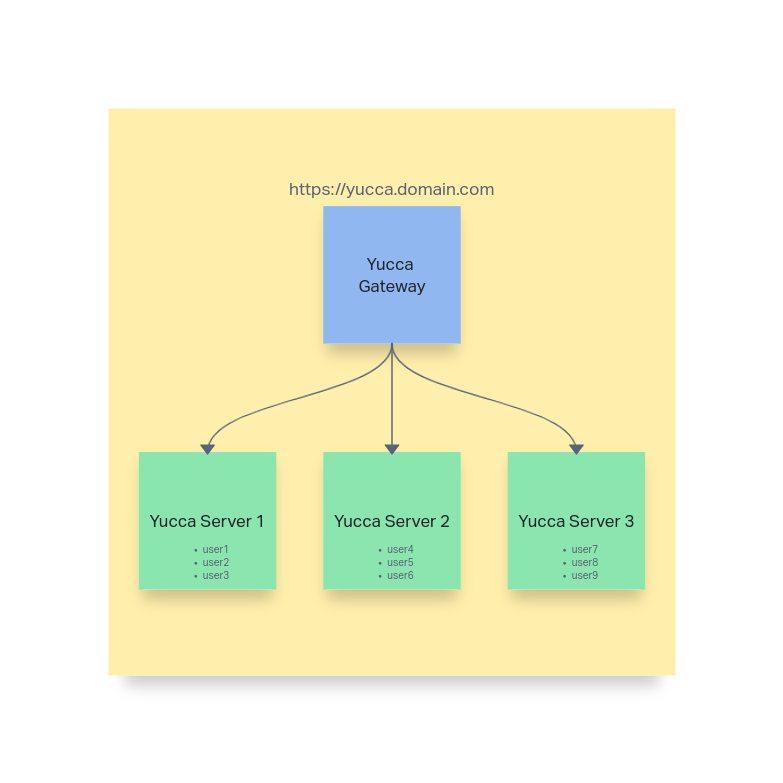
Yucca Gateway is a new operating mode that lets you create a single entry point (authorization) for clients across different Yucca Server installations.
For example, say you're an internet provider with presence in several cities, and a separate Yucca installation in each city, with its own clients on each server — but as part of a marketing campaign, you want a single entry point for all clients. You can find more details about this mode and setup instructions at this link.
The diagram below outlines the approximate operating logic.
FFmpeg 5 support
FFmpeg 5 is now used by default. We added a mechanism to automatically download our prebuilt static FFmpeg build. In future Yucca versions we will disallow using any third-party FFmpeg builds.
Migrating from sqlite3 to postgres
We implemented a mechanism for migrating from an sqlite3 database to postgres. This is useful if you deployed the server with default settings, the load has grown, sqlite3's performance is no longer enough, and configuring everything manually would be time-consuming. Run the following command for help:
./yucca admin migrate --help
Migrate state from SQLite to PostgreSQL

Usage:
  yucca admin migrate [flags]
...
Personal tokens
This feature is so far only available in the API, but we decided to call it out specifically, since it will be very useful for anyone building their own automation.
Other changes
Added
- Readable log format (#946)
- Stream status change history. Backend (#942)
- Search streams by source (#926)
- Write FFmpeg logs to disk (#925)
- Failover to ffprobe if the native prober didn't work correctly (#921)
- Set Yucca as the User-Agent for FFmpeg (#920)
- [research] Yucca Gateway (distributed mode / sharding) (#918)
- Move licenses to the admin panel (#912)
- Prevent a managed user from changing their own password in the profile. UI (#910)
- Use the server's standard flags in change password (#908)
- Add the ability to set the root password in change password (#907)
- Improve error logging (#904)
- Add a verbose flag for yucca version (#889)
- Server configuration recommendations. Backend (#884)
- UI / Fixes for the user table (#883)
- Add stream count to the user list. UI (#879)
- Add the ability to search a user by fullName (#878)
- Add stream count to the user list. Backend (#877)
- Public stream access only in Enterprise (openapi) (#876)
- UI / Preloader for downloading an archive segment (#873)
- FFmpeg 5 support (#870)
- Pass the feature list to the UI (#857)
- Embed player for watching live. Backend (#856)
- Providing a public link (#854)
- UI / Embed player for watching live (#853)
- Personal tokens. Backend (#850)
- Don't request archive/stats and archive/ranges when there's no archive (#845)
- [UI] ACL: disallow archive viewing (#836)
- [backend] ACL: disallow archive viewing (#835)
- Add uber-go/goleak to stream tests (#833)
- Ability to set a minimum password length (#825)
- Rework the add-user command to use the API (#824)
- Read the server address from env for console commands (#823)
- Update the hint on the user lock indicator (#822)
- Add md5sums to all versions (#819)
- Update availability indicator (#815)
- Make the statistics tab the first one (#814)
- Download FFmpeg if it's not found (#813)
- Stop a stream if it's stuck in pending (#810)
- Player hotkeys for the mouse wheel (#806)
- New public bucket for all release builds (#805)
- View-only / live-only access permissions (#794)
- Add stream information to the output stream's metadata (#783)
- Apple M1 support (#782)
- Configuring camera access when creating/editing a user. Backend (#772)
- Move metrics (telemetry) to a separate port (#756)
- Add a "require password change" checkbox when creating a user (#755)
- Show a banner when the license is about to expire. UI (#713)
- Password reset. Backend (#697)
- Email notifications. Backend (#692)
- Add a shortcut for running the limited version (#661)
- Add author to the stream API (#546)
- Stream statistics. Backend (#508)
- Migrate state from sqlite3 to postgres (#495)
- Move FFmpeg progress into a separate pipe (#449)
- Single tmpfs directory for live (#340)
- Public stream access (#227)
Changed
- Set the server.pprof flag to false #cli (#950)
- Set the executor.exec.ffmpeg_log_level flag to warning #cli (#949)
- Mark the log-json flag as deprecated #cli (#948)
- Use the exec executor by default (#947)
- Add username (#528)
Fixed
- The footer isn't branded on the login page (#944)
- The pointer flickers on the progress bar (#927)
- Playback speed resets when navigating the timeline (#916)
- The Must change password flag doesn't work (#915)
- Streams don't start after the sqlite3 to postgres migration (#900)
- Not all data migrates from sqlite3 to postgres (#887)
- Flickering profile pages (#882)
- Incorrect Yandex Metrika parameters in the YAML config format (#874)
- Can't delete a user whose name is uppercase (#868)
- Broken link "Add a stream source to check it" (#867)
- QuotaReached error when editing a stream (#866)
- Probe and Preview return an error during editing once the quota is used up (#864)
- Don't allow adding a stream when QuotaReached (#863)
- A shared token allows viewing other streams (#855)
- UI / On iOS Safari, the pointer is misplaced (#844)
- The container list is only available to administrators (#842)
- Error: failed to find disk usage of alloc_dir (#840)
- ./yucca version doesn't return a non-zero exit code when the API is unavailable (#838)
- NFS isn't shown in disk statistics (#837)
- UI / Mobile version fixes (#831)
- Terminate the main process on DB unavailability (#830)
- Incorrect UI manifest content (#829)
- Wrong Theme Color in the manifest (#828)
- Doesn't work with postgres 14 (pq: unknown authentication response: 10) (#820)
- Don't allow adding a stream on ValidationError (#816)
- The telemetry-environment-info flag is missing on the server (#812)
- Polyvision cameras don't park:
cur_dts is invalid st:0(#808) - Typo in the description (#807)
- Archive recording stops after restarting a stream with a Negative ts error in the exec executor (#804)
- The slider disappears when clicked (#802)
- Forbidden special character + in dahua and hikvision emails (#801)
- Open statistics and configuration for the free version (#799)
- A stream fails to park with the ffmpeg error [Too many packets buffered for output stream] (#789)
- Can't park a camera over IPv6 (#724)
What's next?
Installation instructions can be found in the Installation section.